

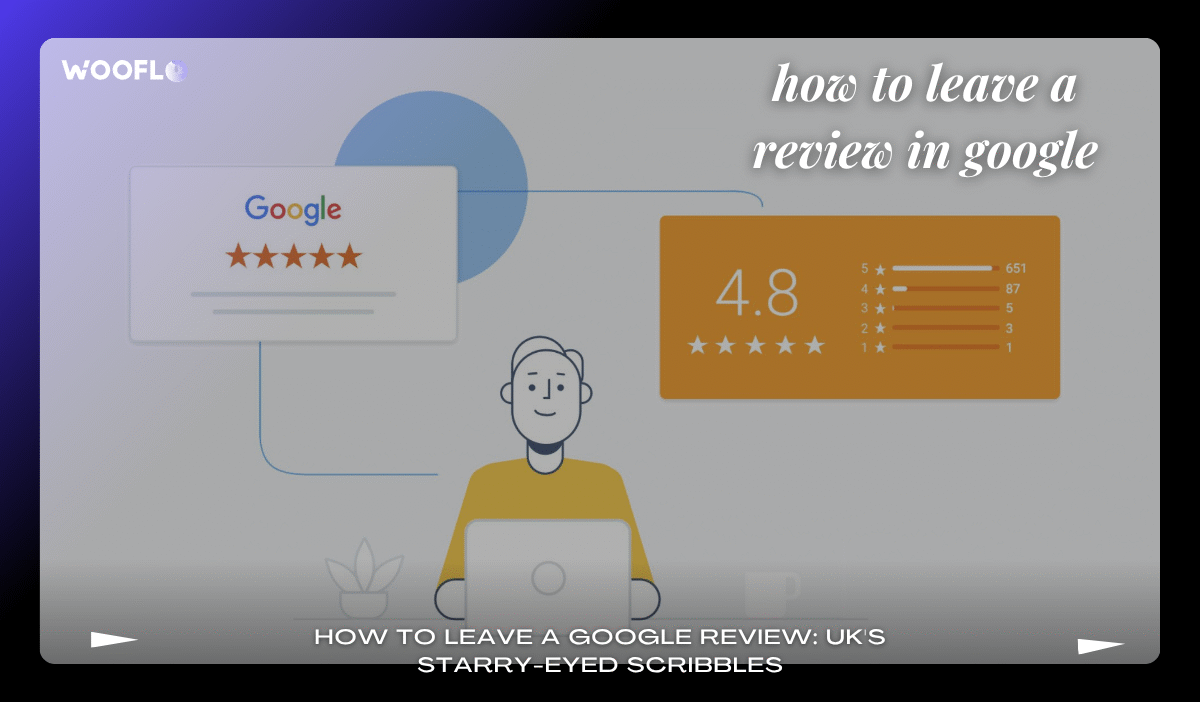
Key Takeaways:
- Leaving a Google review takes just minutes but can skyrocket a local business’s visibility in the UK—think 5–9% revenue boost per star rating increase.
- No Gmail? No problem; you can still post feedback via a simple Google account setup.
- UK tip: Keep it GDPR-friendly—authentic words without spilling personal beans.
- Pro hack: Snap a photo with your review to amp up engagement by 270%.
- Businesses love it: Tools like Wooflo Pro make collecting these gems effortless for shops in London or Manchester.
Introduction: Why Bother with Google Reviews in Blighty?
Ah, the humble Google review— that digital pat on the back (or occasional kick in the shins) that decides whether your local curry house in Birmingham gets a queue round the block or a tumbleweed moment. In 2025, with 97% of us Brits turning to online reviews before splashing cash on platforms like Google, TripAdvisor, or Yelp, leaving feedback isn’t just polite; it’s practically a public service. Picture this: you’re fresh from a cracking fish and chips in Edinburgh, stomach happy, heart full. Why not share the love? Or, if the chips were soggier than a Welsh weekend, why not whisper those woes privately first?
But let’s get real— in a world where 91% of 18–34-year-olds trust online reviews as much as Nan’s word on a dodgy plumber, your stars and scribbles matter. They’re the #1 deciding factor for punters choosing (or ditching) a business. And for UK SMEs? A whopping 270% jump in conversions from flaunting those reviews, courtesy of Spiegel Research Center. We’re talking higher Google rankings, more footfall, and—dare I say—dominating your local market like a proper boss.
Enter Wooflo Pro, the AI-powered reputation wizard trusted by industry leaders worldwide. This nifty tool turns reviews into revenue rivers, with seamless invites via email, SMS, or QR code. Whether you’re a resto in Manchester or a salon in Leeds, Wooflo Pro’s confidential feedback capture keeps negatives under wraps while amplifying the positives across Google, Facebook, and more. Fancy a 7-day free whirl? It’s like giving your biz a reputation glow-up without the awkward small talk.
Stick around as we unpack the Google review guide UK-style: from prerequisites to pro tips, all laced with a dash of humour because, let’s face it, rating a dodgy haircut shouldn’t feel like filing taxes.
Why Leave a Google Review? The Impact on UK Businesses and Consumers
Ever wondered why leaving a review feels like dropping a pebble in a pond? Those ripples hit far—especially in the UK, where 70% of searches lead straight to local haunts, per Google themselves. Positive vibes? They lure in valuable customers, boost search engine rankings, and crank up revenue month after month. We’re not just chatting hypotheticals; Harvard’s got the receipts—a 5–9% sales spike per one-star glow-up. For consumers, it’s empowerment: 53% expect businesses to reply within a week, so your words nudge owners to up their game.
But here’s the chuckle-worthy bit: imagine if reviews ruled elections. “Gordon Ramsay’s chippy: 4.2 stars—too much salt, mate!” Suddenly, the nation’s spud game improves overnight. In Britain, where word-of-mouth is sacred (hello, pub chats), online echoes amplify it. Businesses using clever kit like Wooflo Pro’s unified dashboard track sentiment daily, responding swiftly to forge bonds tighter than a Londoner’s brolly grip. Result? More positive online reviews, happier punters, and you, the reviewer, as the unsung hero of local trade.
As Sir Richard Branson once quipped, “Clients do not come first. Employees are first, clients are second, shareholders come third.” But in the review realm, it’s the customer’s voice that flips the script—turning feedback into fuel for stellar service, much like how Virgin’s empire thrives on listening to the masses.
Diving deeper, Google reviews for local shops in London aren’t fluff; they’re SEO gold. They enhance visibility on Google Maps, drawing in that impulse buyer scrolling for a quick coffee. For takeaways in Glasgow or gyms in Bristol, it’s a lifeline—collect reviews on any platform, attract the right crowd, and watch your market domination unfold.
Prerequisites: Do You Need a Google Account to Leave a Review?
Right, before you unleash your inner critic, let’s tackle the basics. Spoiler: Yes, you’ll need a Google account, but it’s less faff than queuing for Glastonbury tickets. Head to google.co.uk/account and sign up with any email—Outlook, BT Internet, even that dusty Hotmail from uni days. No Gmail? Still golden; just verify and bob’s your uncle.
Why the account hoopla? It ties your review to a real human (or at least a semi-real one), curbing spam. But fear not the privacy police—GDPR’s got your back. Reviews are public, so keep it vague on the deets; no need to name-drop that rude waiter. LSI alert: This is your Google review verification UK moment, ensuring authenticity without the aggro.
For the account-shy, there’s a cheeky workaround: Borrow a mate’s login (with permission, mind). Or, if you’re tech-averse, the Google app on your phone makes it a doddle. Pro tip from the Wooflo Shop crew: Businesses can ease this with Woo Plates—those NFC-tappable wonders that redirect straight to rating pages. Order one from the shop and watch feedback flow like tea from a pot.
Once set up, you’re primed. No steep learning curve here; it’s designed for simplicity, much like Wooflo Pro’s ABC process: Scan or Tap, Rate, Review. Unlimited QR scans? Tick. Automated reminders? Double tick.
Step-by-Step Guide: How to Post a Review on Google Maps in the UK
Alright, sleeves up—time for the meaty bit. This Google My Business review tutorial is your roadmap, served with a side of sarcasm because who needs dry instructions? We’ll cover desktop and mobile, so whether you’re sofa-surfing in Sheffield or Tube-riding to work, you’re sorted.
- Fire Up Google Maps: Pop over to google.co.uk/maps and search your target—”hairdressers in Liverpool” or “pubs in Nottingham.” Boom, business profile pops up like an eager barista. LSI nod: Finding businesses to review on Google? Easy peasy.
- Hunt the Reviews Tab: Scroll down (or swipe, you mobile maven) to the “Reviews” section. Spot that cheeky “Write a review” button? Smack it like a winning lottery ticket.
- Sign In Swiftly: Your Google account logs you in faster than a fox in a henhouse. If it’s your first rodeo, it’ll nudge for verification—nothing a quick code won’t fix.
- Star It Up: Channel your inner Michelin inspector. One star for “avoid like the plague,” five for “life-changingly lush.” The star rating system explained: It’s not just pretty lights; it signals sentiment at a glance. LSI: How to add star rating Google.
- Spill the Beans: Craft your masterpiece—100-200 words of wit and wisdom. “The shepherd’s pie was divine, but the loo queue? Criminal!” Be specific; UK punters love a good yarn. LSI: Steps to write Google review Britain.
- Snap and Share: Feeling fancy? Upload photos or videos via the camera icon. Why? Visuals boost engagement sky-high. LSI: How to upload photos with Google review.
- Post and Pray: Hit “Post,” and voilà—your words are live in minutes, moderated later for any cheeky rule-breaks. LSI: Submit review Google search UK.
Mobile twist? The Google app shines here—leave review on Google app with one-tap ease. Desktop? Chrome’s your mate for a seamless tutorial leave review Google Chrome. Stumped? Check Official Google UK: Add, Edit, or Delete Google Maps Reviews for the nitty-gritty.
For businesses eyeing the flip side, Wooflo Pro’s got your back. Its dynamic review display lets you showcase top gems in website carousels or social feeds, complete with custom templates. Integrate with 23+ tools, and suddenly, collecting reviews on Google, Facebook, and beyond is less chore, more cheer.
UK-Specific Tips for Leaving Authentic Google Reviews
Britain’s review scene has its quirks—think rain-soaked realism over Yankee hype. First off: Location matters. Tag your city (e.g., “Google reviews for hotels Birmingham”) for precise Business Profiles. LSI: Rate business on Google UK.
Etiquette 101: UK-specific Google review guidelines scream constructive critique. No rants; channel that stiff upper lip. “Service was brisk but brilliant” trumps “Absolute shambles!” And negatives? Phrase ’em professionally—businesses can respond, turning frowns upside down. LSI: Negative review on Google advice.
GDPR whisper: Anonymise where possible, but shine bright with real experiences. Verification? Google flags fakes, so keep it kosher. LSI: Google review verification UK.
Funny aside: Remember when Boris Johnson bungled a review of his own lockdown haircut? Lesson learned—authenticity wins. For locals, reviews for estate agents or solicitors in Oxford? Gold dust for trust-building.
Wooflo Pro amps this ethically: Encourage feedback without incentives breaching ASA rules. Its private negative feedback handling resolves issues pre-public meltdown, boosting loyalty like a warm cuppa on a chilly morn.
How to Edit, Delete, or Report a Google Review in Britain
Oops—posted in haste, repented at leisure? No sweat. Head to Google Maps > Menu > Your contributions. Select your review, hit Edit or Delete. LSI: Edit Google review after posting, delete Google review guide.
For dodgy ones from others? Flag the faker via the icon. LSI: Report fake Google review UK. Can’t zap legit negatives, though—UK law’s clear: No removal, just strategic management. LSI: Google review policy UK compliance, UK law on Google review removal.
Business owners, rejoice: Wooflo Pro’s centralised dashboard monitors multi-platform chatter, letting you respond pronto. Private handling? Keeps your rep pristine.
Advanced Features: Enhancing Your Google Review with Photos and More
Level up, review rookies! Photos and vids? They don’t just jazz it up; they spike conversions. LSI: Tutorial on Google review photos UK.
Sharing? Grab the link and broadcast—perfect for amplifying positives. LSI: How to share Google review link.
Join the Local Guides Programme for badges and perks (UK meetups in Cardiff, anyone?). LSI: Google reviews for services Edinburgh.
Wooflo Pro’s secret sauce: Schedule review-based posts strategically, curating your strategy like a pro curator at the Tate.
Common Mistakes to Avoid When Writing Google Reviews in the UK
Don’t be that guy: Vague as “It was okay” (yawn). Or off-topic rants—”Great sarnies, but Brexit?” LSI: Common Google review mistakes.
Spam? Google’s onto you. And incentives? Tread lightly per guidelines. LSI: Tips for authentic Google reviews, can I offer incentives for reviews?
Keep it ethical, folks—like Wooflo Pro preaches: Verity and transparency online.
FAQ: How to Leave a Review on Google – Quick Answers for UK Users
What is a Google review, and how does it work?
Public rating on Google My Business; boosts local SEO. LSI: What is Wooflo Pro, and how does it work? (Wait, that’s for biz—adapt: Simple post via Maps.)
Can I leave an anonymous Google review UK?
Sort of—use initials, but account’s tied. LSI: Anonymous Google reviews UK.
How long does a Google review take to appear?
Instant, with moderation. LSI: Google review process explained.
What if I review a chain like Tesco in Glasgow?
One per spot. Entity: Glasgow.
UK law on reviews?
Protected, but no defamation. LSI: UK consumer rights Google reviews. Check Google Business Profile Help: Tips to Get More Reviews in the UK.
More? Dive into How to Leave a Google Review: A Step-by-Step Guide for internals.
Conclusion: Start Leaving Google Reviews Today – Help UK Businesses Thrive
There you have it, your whistle-stop tour of the Google review universe— from first star to savvy sharing. In 2025’s review-riddled realm, your feedback isn’t optional; it’s the spark for better biz across Blighty. Whether rating a mechanic in Cardiff or a cafe in Newcastle, remember: Honest words build worlds.
Fancy tools to harness this? Wooflo Pro’s your mate—generate, monitor, share with AI auto-replies for Google and Facebook. Trusted by restos like Pho Saint Martin (“très bon service”), it’s the #1 review management tool, with a 4.9/5 rating and global cred. Try the free trial; no risk, all reward.
So, next time you’re chuffed (or cheesed off), hit post. Your review could be the nudge that turns a local gem into a legend. Cheers to that—now go rate responsibly!
Fun fact: Even Sherlock Holmes would approve—elementary, my dear reviewer, the game’s afoot in the world of Google feedback.
Contact Us 📞
- Phone 📱: +33 7 45 96 94 59
- KGID 🔗: https://share.google/tqL92yxlIrgPVjGdh
- Directions 🗺️: https://maps.app.goo.gl/pydw8rU9gncWBwCS6
- Email 📧: info@wooflo.pro
- Address 📍: 71 Shelton St, London WC2H 9JQ, United Kingdom


 English
  English (Australia)
  English (Canada)
  English (UK)
  Français
  日本語
日本語  Italiano
  Español
  Deutsch
  한국어
한국어  Português
  Polski
  Dansk
Dansk  Bahasa Indonesia
  简体中文
简体中文  Türkçe
  Svenska
  Română
  Српски језик
  Magyar
  Suomi
Suomi