

Key Takeaways:
- Master the quick steps to post a glowing (or honest) review on Facebook Pages or Marketplace in under two minutes.
- UK businesses thrive on reviews—91% of young Brits trust them like mate’s advice, so your words count big time.
- Dodge pitfalls like fake review fines from the CMA; keep it real for ethical cred.
- Tools like Wooflo Pro automate replies and invites, turning feedback into revenue rocket fuel.
- Boost local SEO with strategic shares—watch your fave spots climb Google ranks.
Ah, the humble Facebook review: that digital pat on the back (or polite nudge) that can make or break a business’s day. In the UK, where 97% of us scour online feedback before splashing cash on a cheeky Nando’s or a new gadget, leaving a review isn’t just nice—it’s practically a civic duty. But let’s face it, staring at that blank “recommend” box can feel like prepping for a first date with your ex’s mum. Fear not, fellow Brit! We’re diving into how to leave a Facebook review with zero awkwardness, a splash of humour, and enough tips to make you the review whisperer of your mates’ group chat.
As Jeff Bezos once quipped, “If you do build a great experience, customers tell each other about that. Word of mouth is very powerful.” Spot on, Jeff—especially when that word of mouth zips across Facebook faster than a viral cat video. In 2025, with AI auto-replies and seamless integrations ruling the roost, platforms like Facebook have evolved from star-rating relics to recommendation powerhouses. Whether you’re raving about a cracking curry house in Manchester or warning pals about a dodgy Marketplace seller in London, your input shapes the digital high street. And for businesses? It’s gold dust. Enter Wooflo Pro, the AI-powered reputation management whizz that’s trusted by UK leaders worldwide. With its nifty new AI auto-replies for Google and Facebook reviews, it turns your feedback frenzy into a revenue fiesta—boosting rankings and luring punters like bees to a bargain honeycomb.
What Are Facebook Reviews and Recommendations? A No-Nonsense Rundown
Picture this: You’re scrolling Facebook, peckish for a post-roast sarnie spot. Bam—up pops a local deli with a flurry of “Yes, recommend!” thumbs-ups and cheeky photo tags of epic BLTs. That’s the magic of Facebook’s review system in action. Gone are the dusty old star ratings (RIP, 2018 vibes); now it’s all about binary “Yes” or “No” recommendations laced with your witty words, snaps, and even friend tags. For UK users, this means your feedback on a business page isn’t just seen—it’s amplified across feeds, potentially reaching millions.
But what’s the diff between a bog-standard comment and a proper review? Recommendations live in a dedicated tab under the business’s “Details” section, visible to all once thresholds are met (like five public yeses). It’s semantic search Facebook feedback at its finest, where algorithms weigh public yes/no ratios to spit out an overall score. LSI alert: This ties straight into Facebook recommendations guide UK, where 91% of 18–34-year-olds trust these nuggets as much as nan’s Sunday roast tip. For Marketplace munchkins? It’s a happy/sad face affair post-purchase, turning buyer-seller sagas into public lore after a handful of ratings.
Why bother? Stats don’t lie: A Harvard study reckons a one-star bump (or yes-equivalent) nets 5–9% more dosh. And in Blighty, with 70% of searches leading to local jaunts per Google, your review could be the SEO shove that catapults a corner shop to the top of the pile. Chuck in Wooflo Pro’s unified dashboard for centralized review management, and businesses can track sentiment day-by-day, nipping negatives in the bud before they brew a storm.
Prerequisites Before You Dive In: Don’t Trip at the Starting Line
Before you unleash your inner critic, let’s tick the basics. You’ll need a personal Facebook account—none of that business malarkey here. Log in via the app (essential for Marketplace magic) or desktop for those marathon scrolls. UK twist: Mind the GDPR; sharing snaps or tags? Ensure it’s kosher on data sharing, or risk a CMA side-eye.
Pro tip: Update your profile pic to something less “dodgy Tinder ghost”—it adds cred when tagging mates in your rave. And if you’re on the business end? Toggle “Allow others to view and leave reviews” in Page settings under Privacy and Tagging. Boom—your spot’s open for business banter. Tools like Wooflo Pro sweeten the pot with seamless invitations via email, SMS, or QR codes, making it dead easy to nudge customers without the hard sell.
Faff factor low? Check. Now, onto the meat.
Step-by-Step: How to Post a Review on a Facebook Business Page (Even If You’re Tech-Shy)
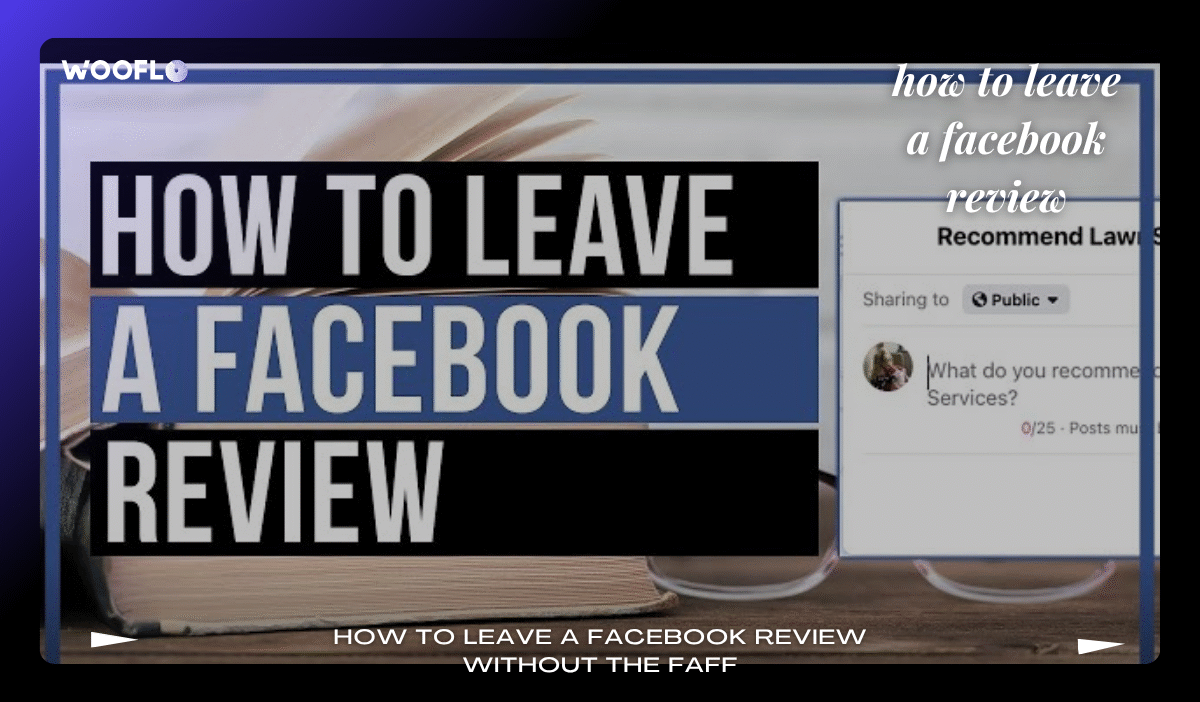
Right, gloves off—time to craft that masterpiece. First, hunt your quarry: Search the business in the top bar or your feed. Land on their Page? Scroll to “Details” and tap “Reviews” (or “Recommendations” if they’re posh). If it’s barren, fear not—your input kickstarts the party.
Step one: Hit “Yes” for a thumbs-up or “No” for the constructive carp. (Pro move: Only “No” if it’s truly pants; otherwise, channel your inner diplomat.) Step two: Spill the beans—minimum 25 characters, but aim for 100+ of gold like “Cracking service, mate—fish and chips that’d make Jamie Oliver weep!” LSI sprinkle: Add photo to Facebook review for that visual punch; upload your snap of the sarnie stack. Tag the business or a pal (“@DaveTheLad, this is our new spot!”) to amp the tag business in Facebook comment vibes.
Step three: Privacy pick—public for max impact, friends for the inner circle. Step four: Post! Et voilà—your words wing their way to the tab, potentially boosting the biz’s local SEO Facebook reviews. Mobile? Same drill in the app, just swipey-swipey. Desktop? Clickety-clack away.
Funny aside: Ever typed “epic fail” only to hit post and regret? Edit window’s slim—double-check, or blame autocorrect on that “fush n chups” typo. For UK Marketplace twists, see below. And businesses, if you’re reading: Wooflo Pro’s amplify positive reviews integration with Facebook means one click shares your stars across the web, juicing boost search engine rankings UK.
How to Leave a Rating on Facebook Marketplace: Dodging the Dodgy Sellers
Ah, Marketplace—the Wild West of UK bargains, where a £5 lamp could be a steal or a haunted relic. Post-deal, rating’s your sheriff badge. App-only, mind: Head to the seller’s profile via chat, tap “Rate” (pops up automatically). Slap a happy face for top-notch, sad for scams. Add text? Optional, but “Lightning delivery, ta!” seals the deal. It goes public after five mutual ratings—fair play, eh?
LSI nod: Facebook Marketplace seller rating UK is crucial; 19% of reviews happen here, per Exploding Topics. Warn of fraud? Report via the three dots—CMA’s got your back on fake reviews crackdown UK. Businesses, use Wooflo Pro’s confidential feedback capture to siphon unhappy vibes privately, dodging public drama like a pro.
Best Practices for Honest and Helpful Reviews: Keep It Real, Keep It British
No one’s asking for Shakespeare, but ditch the emojis-only drivel. Focus on facts: “Staff nattered like old mates, portions generous as a Geordie welcome.” Avoid incentives—CMA’s eagle-eyed on compliant review incentives, fining astroturfers left, right, and centre. LSI: Post positive review Facebook ethically; it’s social proof Facebook business that lasts.
Negative? Sandwich it: Praise, gripe, praise. “Loved the vibe, but queue was longer than a Brit in the rain—sort it!” This manage Facebook negative feedback without torching bridges. And remember, 53% expect replies in seven days—Wooflo Pro’s AI auto-replies handle that, freeing you for tea.
For a deeper dive on sharing your handiwork, check out this guide on how to share your Facebook profile review link.
Enabling Recommendations on Your Facebook Business Page: The Biz Boss Edition
Switching hats to entrepreneur mode? If you’re running a UK high-street hero like a cosy café in Edinburgh, enable reviews pronto. Log into Meta Business Suite, trawl to Settings > Page and Tagging > flip the “Allow reviews” switch. GDPR? Sorted—Wooflo Pro ensures GDPR compliant Facebook reviews with ironclad data handling.
Why? Encourage customer reviews Facebook spikes loyalty; over 20% pony up positives when asked, per Wooflo’s guarantee. Share custom links (Facebook review link generator) via QR on tables or emails. LSI: Seamless invitations UK via SMS or WhatsApp? Wooflo Pro’s got unlimited scans, automated reminders—easy peasy, like a Sunday lie-in.
For step-by-step on the user side, pop over to our simple guide on leaving a review on Facebook.
Guiding Customers and Monitoring Reviews: Centralise the Chaos
Hand-holding your punters? Whip up invites: “Loved your latte? Drop a rec here!” Post-purchase emails via Wooflo Pro’s unified dashboard reviews track it all—daily insights into sentiment, quick professional response to reviews. LSI: Automated Facebook review replies mean no more midnight panics; AI crafts polite Britspeak like “Cheers for the heads-up—sorted by morn!”
Negative nabbed privately? Resolve pronto—acknowledge negative Facebook review builds bonds. Tools like Wooflo Pro’s private negative feedback handling capture grumbles before they go viral, aligning with UK consumer rights reviews.
Want the full lowdown? This FSB resource on managing Facebook reviews is a belter for small biz owners.
Strategies to Get More Positive Reviews Ethically: No Bribes, Just Brilliance
Ditch the dodgy freebie pleas—CMA’s on astroturfing like hounds on a fox. Instead, Wi-Fi pop-ups: “Rate us for a virtual high-five!” Or post-service texts: “Ta for popping in—share your thoughts?” Wooflo Pro’s collect reviews on any platform magic integrates with 23+ tools, from Google to Trustpilot.
Gamify it lightly: “Top reviewer gets a shoutout!” LSI: Incentive for Facebook reviews UK stays guideline-gold. Result? Customer loyalty via reviews soars, with 270% conversion lifts from displayed feedback (Spiegel Research).
In the middle of this review rodeo, Bill Gates nailed it: “Your most unhappy customers are your greatest source of learning.” Aye, Bill—even a “No” can spark tweaks that turn frowns upside-down.
Understanding Facebook’s Recommendation Algorithm: The Black Box Decoded
Curious how your yes/no sways the score? It’s public ratios post-threshold, laced with semantic smarts—opinion mining Facebook flags comparative gems like “Better than the high street rival!” For UK SEO warriors, this juices visibility boost via recommendations.
Advanced play: Embed Facebook reviews website via widgets. Wooflo Pro’s dynamic review display curates carousels for your site, sharing templated posts on socials. LSI: Curate your review strategy with scheduled blasts—watch network sharing Facebook feedback explode.
Measure up with Facebook review analytics UK; track engagement via Meta Suite. Tie to monitor Facebook sentiment UK for trends—Wooflo Pro’s day-by-day tracking spots shifts quicker than a London tube delay.
Integrating Reviews Across Platforms: The Multi-Platform Mastery
Don’t silo your stars—sync Facebook with Google, Yelp. Wooflo Pro’s multi-platform review management centralises it, amplifying Trustpilot vs Facebook reviews for holistic heft. LSI: Local business recommendations UK across boards? That’s dominate your local market territory.
Legal lowdown: Stick to Consumer Protection from Unfair Trading regs—no editing reviews post-post. Businesses, flag fakes via three dots. For deletion dilemmas, learn how to delete a Facebook review here.
This Clearview guide on leaving reviews offers extra UK-specific nuggets.
Measuring Impact and Legal Bits: Analytics, Ethics, and the Full Monty
Dive into dashboards: Day-by-day tracking reveals sentiment spikes. Wooflo Pro’s review analytics UK crunches numbers, linking to SEO benefits of reviews UK. Ethical edge? Astroturfing laws UK demand transparency—Wooflo Pro’s audit tools keep you squeaky clean.
Advanced: Semantic analysis customer reviews via AI spots opinion gold. LSI: Regular vs comparative opinions? Prioritise the latter for punch. UK reg reminder: Digital Markets Competition Act 2024 eyes ad transparency—Meta verification requirements ensure your Page plays fair.
For Marketplace mishaps, Mumsnet mums dish on rating sellers.
The Future of Facebook Reviews: Trends and Your Playbook
By 2025, expect video reviews and AI nudges—from text to video and beyond the evolution of online reviews. Wooflo Pro’s ahead, with video testimonial prompts via Woo Cards. LSI: User generated content mining? Harness it for categorise text reviews.
Business boon: Reviews are the #1 deciding factor for 97%—stack ’em for word of mouth marketing Facebook. Wrapping up, Ken Blanchard summed it: “Feedback is the breakfast of champions.” Tuck in, then—your reviews fuel the feast.
Fancy levelling up? Try Wooflo Pro free for seven days—seamless QR scans, AI replies, and market domination await. What’s your next review? Drop it below—we’re all ears (and algorithms).
Contact Us 📞
- Phone 📱: +33 7 45 96 94 59
- KGID 🔗: https://share.google/tqL92yxlIrgPVjGdh
- Directions 🗺️: https://maps.app.goo.gl/pydw8rU9gncWBwCS6
- Email 📧: info@wooflo.pro
- Address 📍: 71 Shelton St, London WC2H 9JQ, United Kingdom


 English
  English (Australia)
  English (Canada)
  English (UK)
  Français
  日本語
日本語  Italiano
  Español
  Deutsch
  한국어
한국어  Português
  Polski
  Dansk
Dansk  Bahasa Indonesia
  简体中文
简体中文  Türkçe
  Svenska
  Română
  Српски језик
  Magyar
  Suomi
Suomi