

Kluczowe wnioski
- Over 80% of UK consumers check Google reviews before choosing a local business, making your feedback a powerful tool for shaping high streets from London pubs to Manchester takeaways.
- Leaving a review is straightforward: search the business on Google Maps, sign in with a Google account (or use any email), rate with stars, add honest comments, and post—all in under two minutes.
- For businesses, tools like Wooflo Pro simplify review collection with seamless invitations via email, SMS, or QR codes, helping boost local SEO and attract more customers without the hassle.
- Comply with UK rules under the Digital Markets, Competition and Consumers Act 2024: keep feedback authentic, avoid incentives, and report fakes to protect reputations.
- Mobile users dominate—80% read reviews on phones—so optimise for on-the-go posting with apps like Google Maps for quick star ratings and photo uploads.
- Positive reviews can lift conversion rates by up to 270%, while a one-star increase might add 5-9% to revenue, underscoring why 97% of buyers rely on them.
In today’s digital landscape, where 70% of UK searches lead to local business visits, online reviews have never been more crucial. Whether you’re raving about a spot of afternoon tea in Edinburgh or warning mates about a dodgy plumber in Bristol, leaving a review on Google empowers consumers and helps businesses thrive. As of 2025, with 63% of UK punters more likely to engage with firms boasting solid online feedback, your words carry real weight. But how exactly do you post a review on Google Maps or rate a business on Google? This comprehensive guide walks you through the process, tailored for the British market, complete with tips on writing constructive reviews and navigating UK-specific regulations like those from the Competition and Markets Authority (CMA).
We’ll cover everything from desktop steps to mobile tutorials, ensuring you can submit a Google review effortlessly. Plus, discover how innovative tools from Wooflo Shop, such as NFC-enabled Woo Cards and Woo Plates, make it even easier for businesses to collect glowing testimonials—turning everyday interactions into reputation gold. By the end, you’ll not only know how to leave a review on Google but also why it matters for local SEO via Google reviews and building trust signals that draw in valuable customers.
Why Online Reviews Matter for UK Consumers and Local Businesses
Imagine scrolling through Google on a rainy Tuesday, hunting for the best fish and chips in your postcode. What sways you? Nine times out of ten, it’s the star ratings and candid comments from fellow Brits. In 2025, 80% of consumers head straight to Google to scrutinise reviews before parting with their cash, outpacing platforms like Facebook or TripAdvisor. This isn’t just a trend—it’s a £23 billion driver of UK spending, where 91% of 18-34-year-olds trust online feedback as much as a mate’s word.
For businesses, the stakes are sky-high. A robust collection of positive online reviews can catapult your Google Business Profile into the local pack, where reviews now contribute a hefty 15% to rankings. Picture a cosy cafe in Leeds: amplifying positive reviews via integrations with Google and Facebook could spike conversions by 270%, per recent studies. Yet, it’s not all rosey—53% of customers expect replies within seven days, and mishandled negatives can tank sentiment.
Enter solutions like Wooflo Pro, the AI-powered reputation management tool trusted by UK leaders from Pho Saint Martin to Delice de Beyrouth. With its unified dashboard for day-by-day tracking and AI auto-replies to Google and Facebook reviews, businesses can strengthen customer bonds while boosting search engine rankings. Over 20% of prompted customers leave positives when using Wooflo’s seamless invitations—email, SMS, or QR code—avoiding public negatives through confidential feedback capture. This isn’t just about collecting reviews on any platform; it’s about dominating your local market, whether you’re a solicitor in Soho or a vet in the Cotswolds.
Social proof from reviews isn’t fluff—it’s currency. High-volume, recent feedback with keywords in Google reviews enhances visibility, while structured data like schema markup can snag rich snippets in search results. For UK firms in hospitality, where listings average over 220 reviews, neglecting this means missing out on the 5-9% revenue uplift per star. As Google evolves its algorithms in 2025, review recency and aggregate ratings become even more pivotal, making tools like Wooflo’s dynamic display features—showcasing stellar reviews in website carousels or scheduled social posts—a game-changer for customer loyalty and word-of-mouth.
| Key UK Stats on Google Reviews | Impact |
| 80% of consumers check Google first | Drives initial discovery for local searches |
| 63% read reviews on mobile | Optimise for quick, one-click Google reviews |
| 15% ranking boost from reviews | Elevates local pack dominance UK-wide |
| 270% conversion increase possible | Turns browsers into buyers for shops and services |
| 5-9% revenue per star | Quantifiable ROI for pubs, takeaways, and more |
Prerequisites: What You Need Before Leaving a Google Review
Before diving into the Google Maps review process, let’s ensure you’re set up. First and foremost, you’ll need a Google account—essential for posting reviews on Google. No Gmail? No bother. You can create one using any email address, verifying it swiftly for UK users. Head to accounts.google.com, select “Create account,” and choose “Use my current email address instead.” This keeps things authentic, aligning with CMA guidelines that ban fake reviews and demand transparent review solicitation.
Next, reflect on your genuine experience. Reviews must stem from real interactions—think that memorable meal at Resto Beaubourg or a swift fix from your local plumber. UK consumer law under the Digital Markets, Competition and Consumers Act emphasises honesty; no incentives for reviews, lest you risk fines up to 10% of global turnover from April 2025 onwards. For businesses encouraging feedback, Wooflo Pro shines here: its confidential capture resolves unhappy customers privately, protecting reputations while amplifying positives on Google and beyond.
Finally, grab your device—mobile for 80% of reads, desktop for detailed writes. Ensure you’re signed in via Chrome or Safari for seamless access. With these basics, you’re primed to rate a business on Google and contribute to the ecosystem where 79% of Brits trust online opinions.
Step-by-Step: How to Leave a Review on Google from Desktop
Fancy a brew and some typing? Desktop remains ideal for in-depth Google Business Profile feedback. Start by firing up google.co.uk—key for UK localisation. Enter the business name plus location, like “Pho Saint Martin London,” to pull up accurate listings.
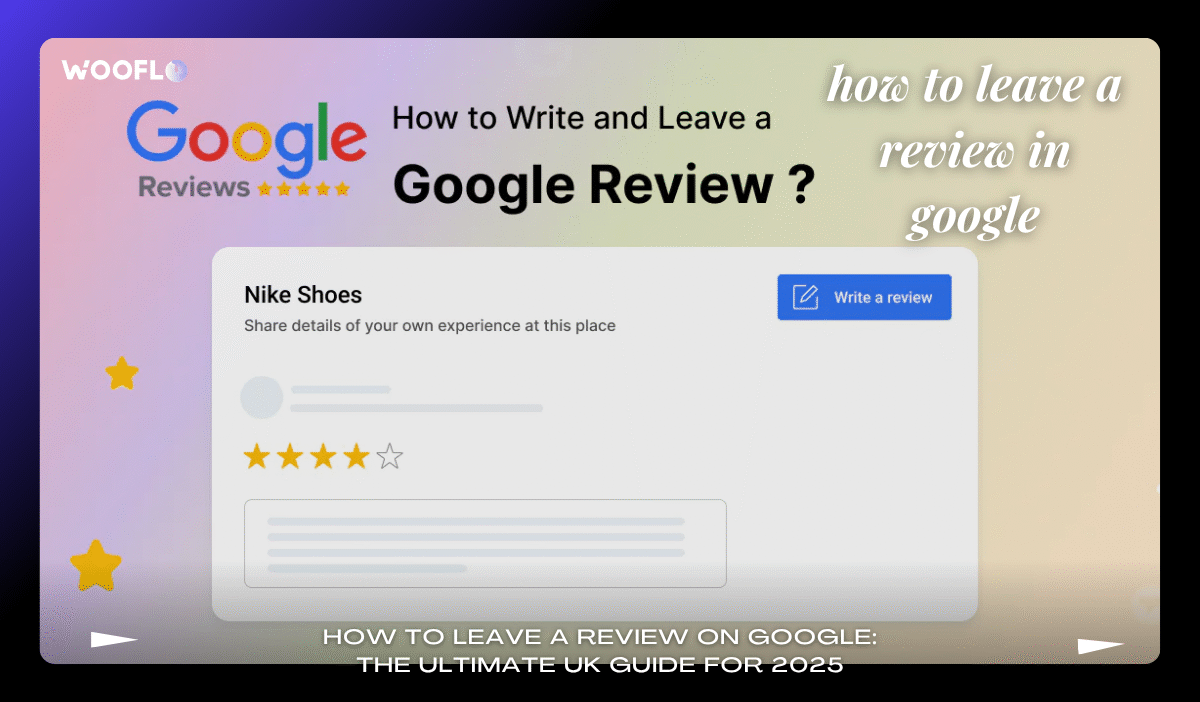
Click the Google Maps thumbnail in results; it whisks you to the profile. Scroll to the “Write a review” button beneath the star ratings—it’s prominent, inviting your input. Sign in if prompted; your Google account for reviews ensures traceability.
Now, the fun bit: select 1-5 stars. A 5-star Google review? Ideal for standout service. Add text—aim for 200-300 words of honest business rating, weaving in positives like “brilliant visibility from the high street” or constructive negatives respectfully. Upload photos to add photos to Google review; visuals boost credibility by 20%. Hit post, and voila—your submit Google review is live, influencing local SEO via Google reviews for that eatery.
For businesses, this is where Wooflo Pro’s magic unfolds. Integrate with Google for amplified positive reviews, using NFC cards like the Google NFC Card from Woo Cards to prompt taps straight to the review page. No more awkward asks; customers scan and rate, growing your reputation with each new review.
Troubleshooting? If the button’s elusive, ensure NAP consistency—name, address, phone—matches the listing. Recent tweaks in 2025 prioritise verified profiles, so double-check. Detailed Google review examples abound: “Five stars for the team’s warmth—highly recommend!” echoes client praise for Wooflo’s very good service.
How to Leave a Review on Google Using Mobile (Android or iOS)
On the move? With 80% of UK review reads happening on phones, mastering mobile is non-negotiable. Download the Google Maps app—free on Android Google review tutorial or iOS leave review Google setups—for the smoothest ride.
On Android: Launch Maps, search your spot (e.g., “Delice de Beyrouth Manchester”), tap the place card, then “Reviews.” Stars appear; tap your rating, add text like “Très bonne visibilité, je recommande,” and upload snaps. Post, and it’s shared—perfect for quick Google review on mobile.
iOS mirrors this: Open the app, search, select the venue, hit “Write a review.” Rate, pen your thoughts (respectful tone Google review is key), add media, submit. No app? Use mobile browser: google.co.uk search, click review button, sign in.
QR code Google review hacks speed this up—scan a business’s code for direct jumps. Wooflo Shop’s NFC Plate for Google Reviews excels here; tableside taps redirect to platforms of choice, with unlimited QR scans and automated reminders ensuring high response rates.
For takeaways or gyms, this one-click Google review flow fits busy lives. In 2025, with map pack dominance UK hinging on mobile-friendly feedback, it’s a must.
Tips for Writing a Constructive and Helpful Google Review
Your words matter—make them count. Start honest: balance positives (e.g., “spot-on service”) with negatives (e.g., “queue was lengthy but worth it”). Constructive review tips Google: use examples, keep it detailed yet concise.
Add photos or videos for engagement; they lift trust. For UK spots like estate agents or dentists, highlight specifics: “Efficient plumber business rating, fixed our boiler pronto.”
Follow guidelines: authentic Google feedback UK means no manipulation. Businesses using Wooflo Pro’s Google NFC Card in Woo Cards Reputation Category encourage this ethically, focusing on feedback over fakes.
Positive aspects in review shine—5-star Google review for loyalty boosts—while negative feedback Google UK? Frame respectfully to aid improvement.
How to Edit or Delete a Google Review in the UK
Changed your mind? Editing is simple. On mobile or desktop, visit your profile > Your contributions > Reviews > more on the entry > Edit. Tweak stars, text, photos; save—date updates for recency.
Delete? Same path > Delete. It’s permanent, but repost anytime. Useful for second thoughts on that 1-star complaint Google.
Wooflo Pro aids management: respond quickly via dashboard, resolving issues pre-public.
UK-Specific Regulations: CMA and ASA Rules for Google Reviews
Post-April 2025, the CMA’s crackdown bans fake reviews outright, with guidance stressing aggregate ratings mustn’t distort via concealed incentives. Fines loom large—up to 10% turnover—for violations. ASA echoes: transparent, no spam.
Report spam Google review via flags; businesses, use Wooflo’s private handling to comply with UK consumer law reviews and ban on misleading feedback.
For deeper dives, check the CMA’s fake reviews guidance.
Frequently Asked Questions About Leaving Google Reviews in the UK
What is the easiest way to leave a Google review in the UK?
Search on Maps, click “Write a review,” rate, and post—seamless for local pack ranking.
Do I need a Google account to post a review?
Yes, but without Gmail, use your email. Verify for access.
How do I add stars and photos to my Google review?
Tap stars post-search; upload from gallery. Enhances for restaurant Google review UK.
Can I edit or delete my Google review later?
Absolutely—profile > reviews > edit/delete. Updates reflect review recency factor.
What are the UK rules for honest Google feedback?
CMA/ASA: no fakes, report incentives. Penalties include bans; focus on genuine.
How does leaving reviews boost local UK businesses?
Improves SEO, attracts via trust. For salons or mechanics, it’s keyword in Google reviews gold.
Can I leave a review without a Gmail account?
Yes—create with any email, as per this guide.
What review sites does Google integrate with?
Primarily Maps, but links to Facebook; Wooflo Pro collects across.
How quickly should businesses respond?
Within 7 days—53% expect it. AI auto-reply Google via Wooflo helps.
For more, explore Birdeye’s UK guide.
Wnioski
Mastering how to leave a review on Google equips you to champion UK businesses, from bakeries to tutors. With steps etched in—from desktop searches to mobile taps—pair it with ethical tools like Wooflo Pro’s Moderna Google NFC Plaque for effortless collection. As reviews fuel 4.6 times more trust than ads, your input shapes markets. Ready? Search, rate, review—and watch locals flourish. For business owners, try Wooflo’s 7-day free trial to turn feedback into revenue. What’s your next review?
Contact Us 📞
- Phone 📱: +33 7 45 96 94 59
- KGID 🔗: https://share.google/tqL92yxlIrgPVjGdh
- Directions 🗺️: https://maps.app.goo.gl/pydw8rU9gncWBwCS6
- Email 📧: info@wooflo.pro
- Address 📍: 71 Shelton St, London WC2H 9JQ, United Kingdom



 English
  English (Australia)
  English (Canada)
  English (UK)
  Français
  日本語
日本語  Italiano
  Español
  Deutsch
  한국어
한국어  Português
  Polski
  Dansk
Dansk  Bahasa Indonesia
  简体中文
简体中文  Türkçe
  Svenska
  Română
  Српски језик
  Magyar
  Suomi
Suomi